Based on your current location
The bearing uses the location supplied by your phone. It does not assume Jerusalem is always in the same direction relative to you.
Open the compass, allow location access and turn your phone. The needle responds to the device's heading to help you find your bearings before prayer.
Available in the installed app on a device with a compass sensor. Not available in the browser version.
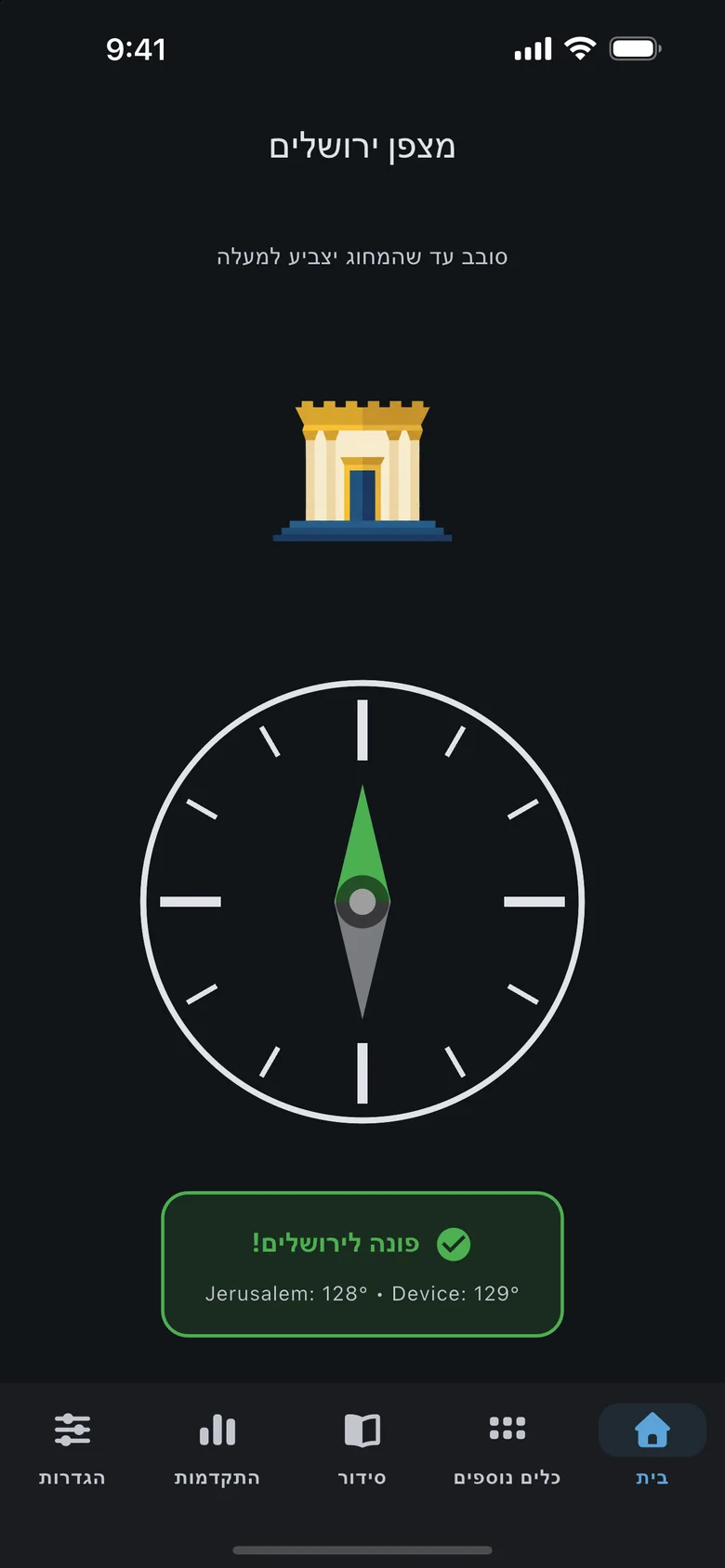
In a hotel room, a new workplace or while travelling, the direction may not be obvious. The compass calculates a bearing from your current location toward the Temple Mount area in Jerusalem and compares it with your phone's heading. See the relationship between where you are standing and where the device is facing, without having to interpret a map.
The bearing uses the location supplied by your phone. It does not assume Jerusalem is always in the same direction relative to you.
The compass sensor tracks the device's heading. As you rotate your phone, the needle changes to keep pointing toward Jerusalem.
The display changes when the phone faces close to the calculated bearing. It helps you orient yourself without promising identical measurement accuracy on every device.
The needle and heading information appear together. If location access or a compass sensor is unavailable, the app explains what is missing.
The compass uses phone sensors, so open it in the installed mobile app.
Open Jerusalem Compass in the app. Your phone needs a working compass sensor; a desktop browser cannot substitute for that hardware.
Grant location access when the phone requests it. The app uses that location to calculate the bearing from your position toward Jerusalem.
Rotate the device until the needle points toward the top of the screen. The alignment signal helps you see when you are close to the calculated direction.
Open the compass in the room where you plan to pray and use Jerusalem as your directional reference.
Follow the needle rather than assuming that a window or the room's main wall faces the right way.
Check your orientation, then move to the Siddur and open the prayer you want to read.
No. The current Jerusalem Compass works in the installed app on supported devices, not in the browser version. This page explains the feature rather than running a live compass.
The bearing toward Jerusalem changes depending on where you are. The app needs your current location to calculate the direction from your position.
The app will show that the compass is unavailable. Location access alone cannot tell which direction the device is facing.
The signal depends on the device's location and sensor readings. Their accuracy can vary, so use it as an orientation aid rather than a professional measurement.

Download free on iOS or Android — open Tikkun Korim, your Siddur or today’s aliyah in seconds.