A purpose beside the reading
Set the reason and details of the request, such as recovery, success or the memory of a loved one.
When family or community comes together to say Tehillim, everyone needs to know what to read. A circle brings the prayer request, chapter assignments and shared progress into one place.
Create a circle with an account. People can join a shared circle as guests.
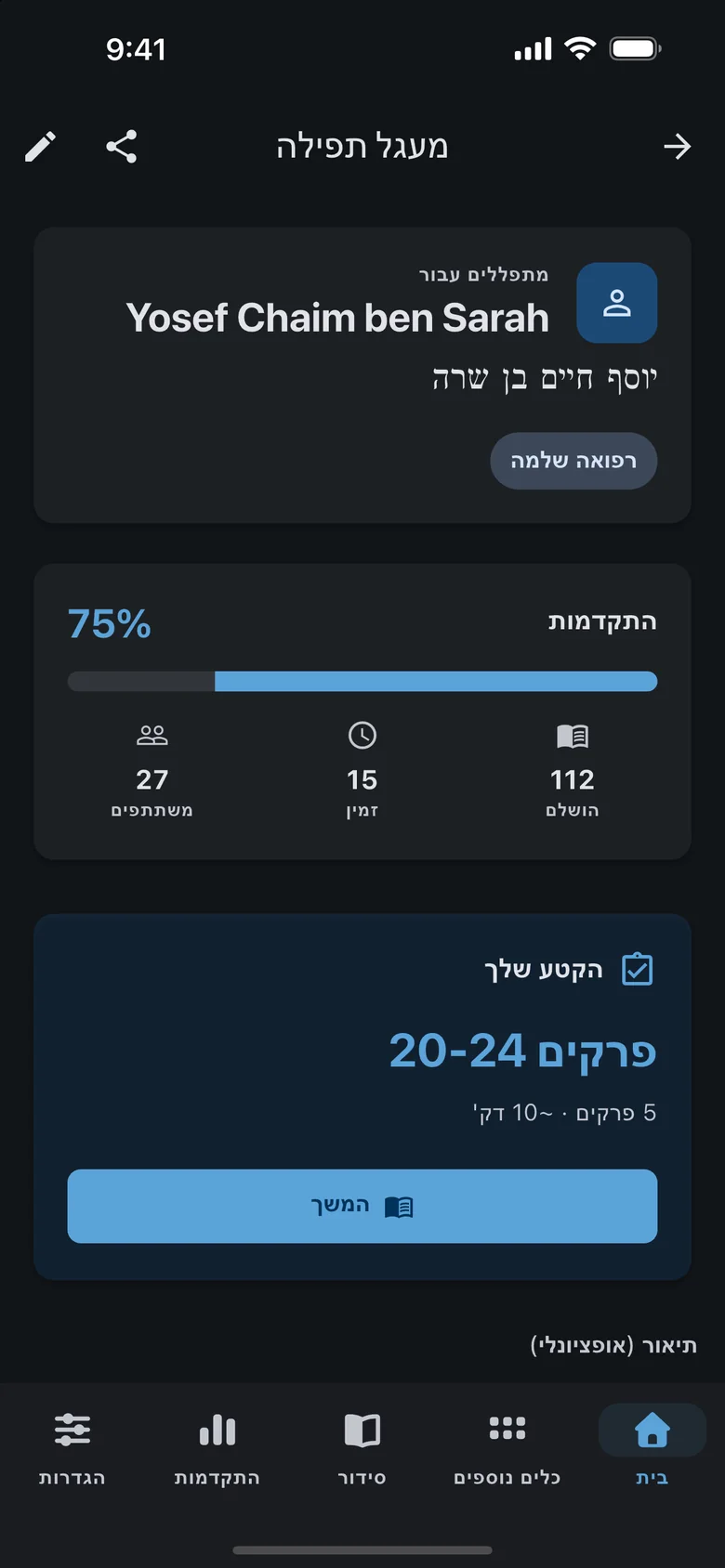
Create a circle around a clear purpose and share its link. Participants join, receive chapters and read in the app. Recording completion updates the shared picture, so the organizer does not have to collect separate messages to work out what has been read. A circle works for a close family group or a wider community invitation.
Set the reason and details of the request, such as recovery, success or the memory of a loved one.
Share the circle page with family or community. Participants can sign in or continue as guests.
Reading is divided within the circle. Each participant sees their chapters and can mark them complete.
The circle screen shows reading progress and participants, updating when chapter completions are recorded.
The circle connects an invitation, an individual commitment and a common goal.
Sign in and enter the circle’s details and purpose. Check the request before sharing it with other readers.
Send the link. Participants can sign in or continue as guests, with an optional display name.
Open your assigned chapters, read them and mark them complete. The shared progress reflects completions that have been saved.
Keep the request and chapter assignments together instead of maintaining a list in messages.
Share a link that lets people take part even when they do not have an account.
Each person takes responsibility for a portion while the group sees completed reading accumulate.
Creating and managing a circle requires an account. People joining an existing circle can sign in or continue as guests. A guest display name is optional.
After joining, the circle shows your assigned chapters and their status. Open them from the circle and record completion after reading.
Joining, assigning chapters and updating shared progress require a connection. Record completion when connected so the group can see the update.
No. Assignment means a participant has taken responsibility for it. Completion is recorded separately after the chapter has been read.

Download free on iOS or Android — open Tikkun Korim, your Siddur or today’s aliyah in seconds.