Know which place you are viewing
Search for a location and keep its name above the results. When travelling, check your destination rather than assuming the saved place is still relevant.
From sunrise to nightfall, read the day’s zmanim in a clear list. The selected place, date and calculation labels help you understand the times you are checking.
Zmanim is available in the app without creating an account.
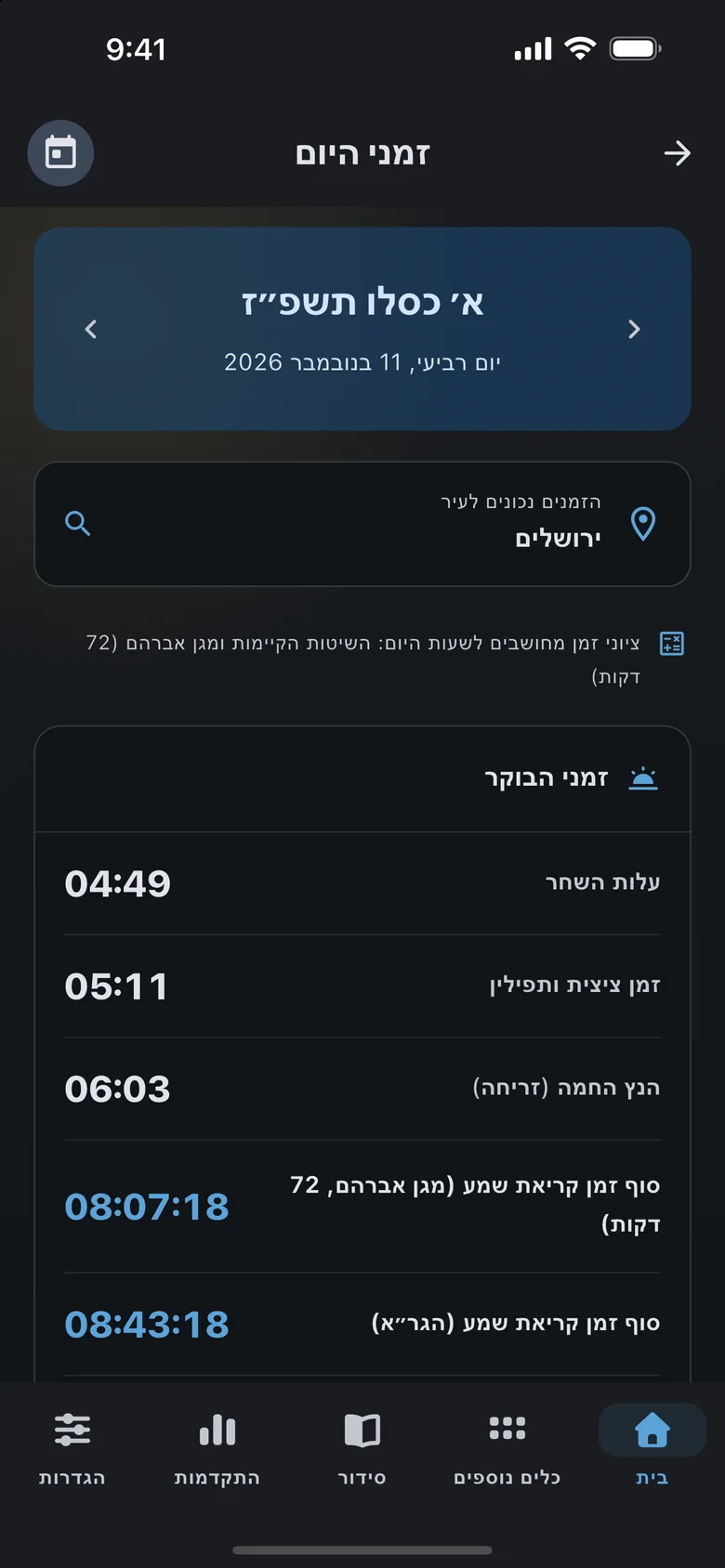
Before checking a time, check its context. The zmanim screen keeps the selected date and location visible above the results. Stay with today or choose another day to plan ahead, with morning times separated from the rest of the day.
Search for a location and keep its name above the results. When travelling, check your destination rather than assuming the saved place is still relevant.
Move to the previous or next day, open the date picker or return to today. A Hebrew date accompanies the selection when its calendar data is available.
Morning times have their own section, followed by midday, Mincha, sunset and nightfall. The layout makes the relevant row easier to find.
Shema times and other references carry calculation labels, including Magen Avraham and GRA or Baal Hatanya according to the applicable settings.
Read the date, confirm the place and then find the time you need.
Check the date at the top of the screen. Holiday and holiday-eve labels appear when calendar information is available for that selected day.
Open location search and select the place you want to check. Its name remains above the list so you can review the context after making a selection.
Find the relevant row and read its description. An unavailable calculation reference is identified as unavailable rather than replaced with an estimated time.
Open the morning section and distinguish the displayed Shema calculation references.
Select the destination and travel date to check sunset and evening times for the place you are visiting.
Look up another day’s Mincha or evening times, then return to today with one action.
They refer to the location selected and displayed on the screen. You can search for another place. Check both the place name and date, especially when travelling.
Yes. Move between days or choose a date using the date picker. The Today action returns to the current date.
Different calculation methods define the halakhic day differently. Available references are identified by name. Follow the practice and guidance relevant to your community when deciding which time to use.
A missing calculation reference is marked unavailable. If the results could not load, you can retry. A missing row should not be treated as a usable time.

Download free on iOS or Android — open Tikkun Korim, your Siddur or today’s aliyah in seconds.